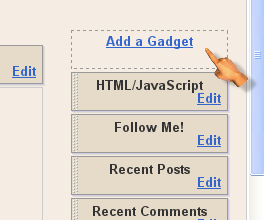
Your adsense earnings has a lot to do with placement of ads among other things. Placing ads in certain positions such as under post title gives you a better click through rate and increased adsense earnings. One of the most effective practices is placing your adsense unit inside blog post, wrapping your text around it, preferably a 300 X 250 medium rectangle ad unit or a 336 x 280 large rectangle ad unit. Your ads will appear in your blog post as the image appearing on the left side of this blog post. Unlike wordpress blogs with different plugins to make things like this easy, there are certain steps you have to take to make this work on your blogspot site. This post explains how to place adsense unit inside blog posts and the steps are quite simple.

1. Log in to your adsense account and create the adsense unit you intent to use. I would recommend 300 X 250 medium rectangle ad unit or a 336 x 280 large rectangle ad unit.
2. Copy the generated code and paste it in the box below to parse it.
3. Click on Convert and copy the parsed adsense code.
4. Login to your blogger account and go to Design > Edit HTML
5. Back up your template by clicking Download full template before proceeding. You can easily restore your original template in case something goes wrong.
6. Check Expand widget template
7. Press CTRL + F and search for this code:
<data:post.body/>
8. Right above that, paste this code:
<b:if cond="data:blog.pageType == "item"">
<div style="float: left; padding: 5px; margin: 5px;">
PARSED ADSENSE CODE
</div>
</b:if>
9. Be sure to replace PARSED ADSENSE CODE with your adsense code you parsed earlier.
This makes the ad appear under post title with your blog post wrapped around it. You should however know that this adsense unit will not appear on static pages such as homepage, archive and label pages. If you intend to show the ads on the static pages, simply remove the first and last line of the code.
Also, I won’t advice you to use this tweak if you have blog posts starting with images. This will place the images right beside your blog posts which is strictly against google adsense terms of service.
If you intend to place the ad unit under post title without wrapping you post body round it, click here


This thing no work for me oh…….
Working on my blog. thanks a lot
http://kallysky.com
Thanks for such an amazing post. The conversion tool was invaluable.
you're very welcome
its fantastic trick ma,thanks a lot for this information+tips.i will try it to on my blog.
Nice blog try to visit this link to know more about online home jobs http://www.dataentryjobs.us/38027.html
Thanks for posting this info. I just want to let you know that I just check out your site and I find it very interesting and informative. I can’t wait to read lots of your posts.
Regards,
Gaming Tips
Works perfectly. I hope it does not violate Google TOS.
Thanks
It doesn’t violate Google’s TOS since you’re not altering the code to display something else, says some adsense gurus
not working
make sure you click on expand widget template and then try to close it very well, it is very simple. You can check my site by clicking on my name though I’m not using adsense but it also works with my ad industry.
this works like magic! for guys who said it is not working should check it out here browse free with opera and National open university nigeria
Twitter: Boygalaxy
says:
this is the easiest tutorial ve found checkout http://www.princeonlineservices.com
Thank you Mr.Doncaprio, you have eased my search on how to place this ad unit.Thanks a million
You’re welcome, Cornel
Sir, I would like to clarify. There is another tutorial similar to yours. The post was posted on 2007. I would like to clarify some slight difference in your code conversions.
Here’s the code:
<script type="text/javascript"><!–
google_ad_client = “pub-XXXXXXXXXXXXXXXX”;
google_ad_width = 468;
google_ad_height = 60;
google_ad_format = “468x60_as";
google_ad_type = “text_image”;
google_ad_channel = “”;
//–>
</script>
<script type="text/javascript"
src="http://pagead2.googlesyndication.com/pagead/show_ads.js">
</script>
What do you think about the quotations? Thank you for your great post..!
There have been some updates to blogger templates since 2007. The one I posted is more recent and I recommend it.
Thank you. I applied
Thank you so much, finaly i found this. Cheers
not working my site visit my blog and help me http://mesotheliomaonlineclinic.blogspot.com/2012/03/treat-cancer-using-radiation-therapy.html
navas recently posted..How to make an impartial Diet for Menopause to care for Menopause Symptoms
thanks now working medimiss.org
navas recently posted..Excellent Methods of Treating Sexsomnia
your tricks helped me a lot. i appled it on my blog
rafi recently posted..Add Moving Slideshow For Blogger
thanks now working your trick http://www.medimiss.org
navas recently posted..Excellent Methods of Treating Sexsomnia
Ok i went to add gadget
i clicked adsense i choose 300 X250
No code was generated..
Seems blogger has updated
Derek recently posted..Captain America: The First Avenger 2011
Oh i got it now
i was trying it from my blogger page
Derek recently posted..Captain America: The First Avenger 2011
So how can on automatically shift the image to appear on the center after some words like u did on ur site.i use blogger.Pls don,how do i make an image to align to the center automatically when some one click on the post to read.when i visit ur site,i will see the caption image on the home page,but when i click to read the post,the image will be on the center after some words.pls how do i do that on blogspot.reply pls.
II’ve replied here – http://www.doncaprio.com/2012/04/adding-a-stylish-feedburner-email-form-below-blog-posts.html
Wondered a lot , you gave a a big prize !!!
Abhishek K R recently posted..LG Optimus L7 P705 – Review
oh ! its good to, thanks for this article !
Sir this code is not working in my site pls help.
It’s sure working, Manohar. What’s the error message you’re getting?
Twitter: jaa_09
says:
nice bro…big help to me..here i my blog on where i can place my adsense;;
Blogger Hero
jan recently posted..No…JUST lesbians!
Nice blog, Jan, but you may consider using an ad unit with smaller width. Your sidebar overlaps your leaderboard ad.
Very good tips man..thanks..I bookmarked your web..
Vines recently posted..Free 3ds Max Model Classic Wine Holder
This is a great article. I can this on my other blog. Thank you so much!
Get Bucks Online – Work From Home Opportunities
Bernie recently posted..SHBux – Scam / Not Paying
Twitter: TCaursoCPA
says:
Thanks Caprio…… Good stuff. Thanks for the post. Caruso and Company, CPA
You’re the best! Thanks so much, after 3 hours of searching, I finally found the post that helped me;-)
Maria Sself recently posted..Life in Pictures
Twitter: trygeek
says:
So I have this working but how do I get the text to come up around the adsense. So basically on my blog I have what you have above. The adsense on the left and the post begins directly below it how do I get the post to start to the right of the adsense and go down the page.
mike recently posted..Monterey Bay Aquarium Free Entry With a Military I.D. For Veteran’s Day Weekend
This code does exactly that except your post formatting is affecting how it should look.
Thanks for such great post. Its really simple to apply. I applied it on my blog Residential Solar Panels Kits.
Twitter: geeklayout
says:
Thank goodness…it worked…thanks for the easy tutorial
thanks good job men.
araba oyunları recently posted..Sünger Bop Uzay Yarışı
Wow, this code is so simple and straight, thanks Sir DC.
Spot on with this write-up, I truly think this website needs a great deal more attention. I’ll probably be back again to read more, thanks for the information!
Anish recently posted..Advertisers Support Adsense Reasons
Code is simple as well, thank you for sharing this. Cheers
Tasty recipes
Awesome recipes recently posted..Cinnamon Honey Wings
I tried this and it works fine.. I so much appreciate it even I am able to shift it to the center by using in between. Bros Don. More grease to your elbow
Newsondot recently posted..Nigerian Man Chains 10yrs-Old Daughter for 7 days Without Food
Nice, This Will Defenetly Increase My CTR And Earnings, Thanks For The Share…..
Club Rj recently posted..Adriana Lima Brazilian Actress HD Wallpapers
Thanks for this post, I will try it.
Peter Sunde recently posted..Create awesome and interesting blog titles
Twitter: comnamesblog
says:
thanks for the post. It was nice reading here. Good job.


zahid recently posted..Seo Strategies for website Proprietor
hello again Don, i just want to ask if it still working? recently “Editing to Webpage is bit too unfamiliar and i cant even look for something code like “” .. please let me know other options regarding this article.. please let me know in my blog http://symbianizetech.blogspot.com/
xany recently posted..Minute to win it Tilt a cup game guide
* code in number 7 tutorials above. (cant paste here) something like data post body
xany recently posted..Minute to win it Tilt a cup game guide
Hi Xany,
This still works definitely.